Got feedback? Additional questions? Just want to have a friendly chat?
Get in touch!
What is intersection analysis?
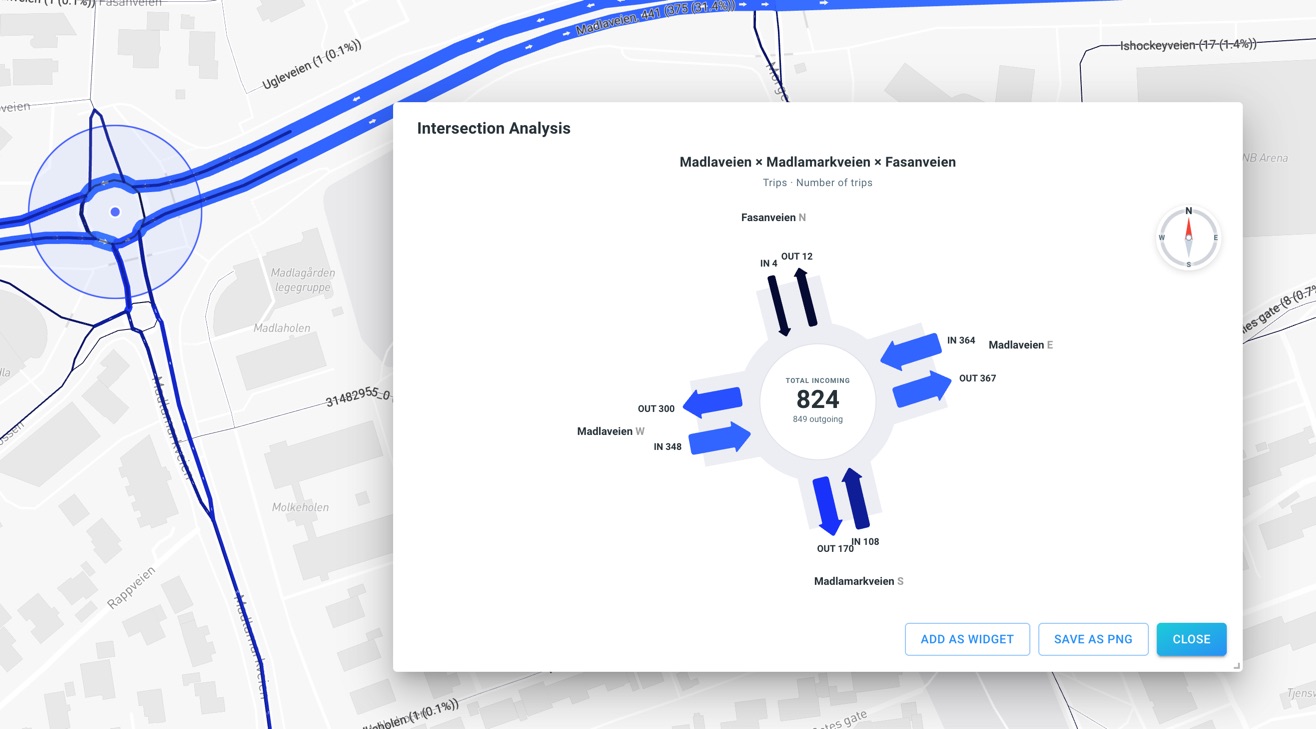
Intersection Analysis lets you inspect traffic at a junction or roundabout directly from the Visual Analytics page. Instead of looking only at individual road segments, it presents the connected roads around a selected intersection in a diagram.
There are two analysis modes:
-
Approaches shows incoming and outgoing values for each connected road. Use it to compare traffic volumes, speed or other available attributes at an intersection.
-
Turns shows how trips arriving from one road continue towards the different outgoing roads. Use it to investigate left and right turns, straight-through movements and movements through roundabouts.
For example, you can answer questions such as:
-
"Which approaches carry the most traffic into this intersection?"
-
"How do incoming and outgoing volumes compare?"
-
"What percentage of trips arriving from this road turn left, right or continue straight?"
-
"How do approach or turning-movement volumes change over time?"
From road-network data to intersection insights
To perform intersection analysis:
-
Prepare a road network. Create a line-based data set with a connected road-network graph. Its segments must have start node and end node identifiers configured as the corresponding edge content types.
-
Choose the appropriate data type. Approaches supports Geometry, Time Series and Movement Path data sets that use the graph-enabled road network. Turns requires Movement Path data, with trips represented as sequences of road segments on that network.
-
Select an intersection. Open Visual Analytics, activate intersection analysis for the supported road-network layer and point to an intersection or roundabout on the map.
-
Analyze and share. Inspect the Approaches or Turns diagram, apply the layer’s filters and time range, open Trend Analysis, add a dashboard widget or export an image.
| Ordinary Movement (such as raw FCD GPS data) or Points data sets do not provide the graph-based intersection analysis described here. Movement Path data represents trips along a road network rather than as a sequence of independent GPS locations. |
Read Configuring your data set for intersection analysis before continuing to the individual analysis modes.
Got feedback? Additional questions? Just want to have a friendly chat?
Get in touch!