Got feedback? Additional questions? Just want to have a friendly chat?
Get in touch!
What does precomputed origin destination data look like?
Precomputed origin destination data is stored as a time series data set.
Each record represents aggregated information for collective movements between one origin and one destination during a specific time interval.
At minimum, such a data set contains:
-
an origin id, referring to the geometry where all trips of the record start
-
a destination id, referring to the geometry where all trips of the record end
-
one or more value columns, containing precomputed properties for those trips
-
a timestamp, indicating the moment or period to which the computed values apply
| The origin id and destination id must refer to ids of geometries in the associated geometry table. Externally defined or ad-hoc areas are not supported. |
A generic id column is not required for precomputed origin destination time series data sets.
The value column(s) may represent any aggregated property derived from the trips between origin and destination, for example:
-
number of trips
-
average, minimum, or maximum travel time
-
total distance traveled
-
most common vehicle type
-
emissions or energy-related indicators
Two supported data models
Precomputed origin destination time series support two related but distinct data models, depending on whether intermediate geometries are relevant to the analysis.
Model 1: Origin destination aggregates only
In the simplest case, each record represents aggregated values for trips that:
-
start at a given origin geometry
-
end at a given destination geometry
-
fall within the record’s timestamp or time interval
This model is suitable when you are only interested in relationships between origins and destinations, without considering how trips move through intermediate areas.
Model 2: Origin destination aggregates with intermediate geometry
Optionally, you may include an additional ID property in the data set.
In this case, each record represents aggregated values for trips that:
-
start at a given origin geometry
-
end at a given destination geometry
-
pass through the geometry identified by the additional ID
-
do so during the record’s timestamp or time interval
This model allows you to precompute path-aware origin destination data, where intermediate geometries play a role in how values are aggregated.
How to configure a precomputed origin destination time series data set?
Precomputed origin destination time series are currently supported only for database data sets.
Configuration consists of two parts: the geometry data set and the time series data set.
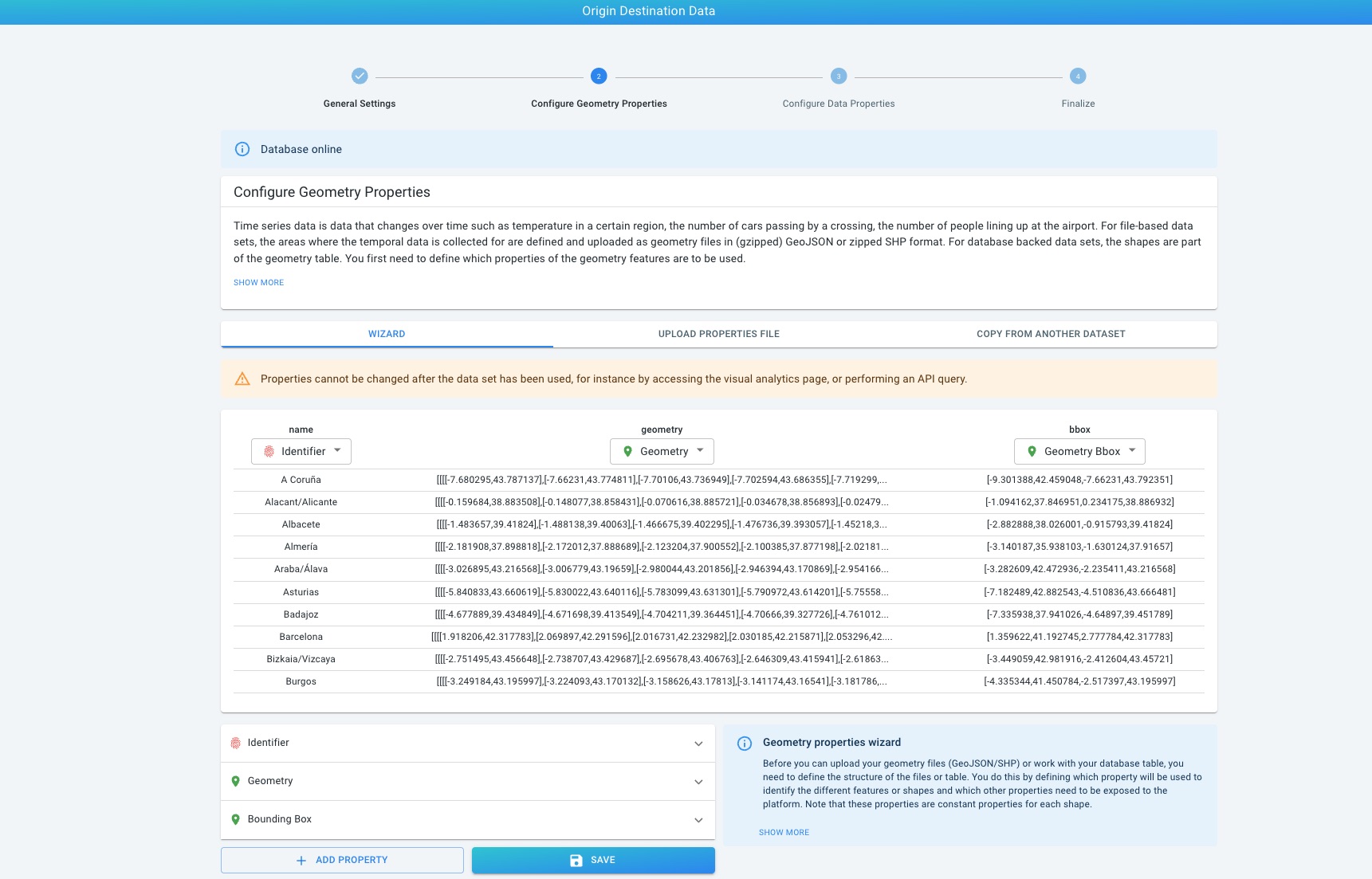
Geometry configuration
The geometry data set defines the areas referenced by the origin and destination values.
Each geometry must have:
-
a unique identifier
-
a geometry
-
a bounding box
The identifier must exactly match the origin and destination values used in the time series table.
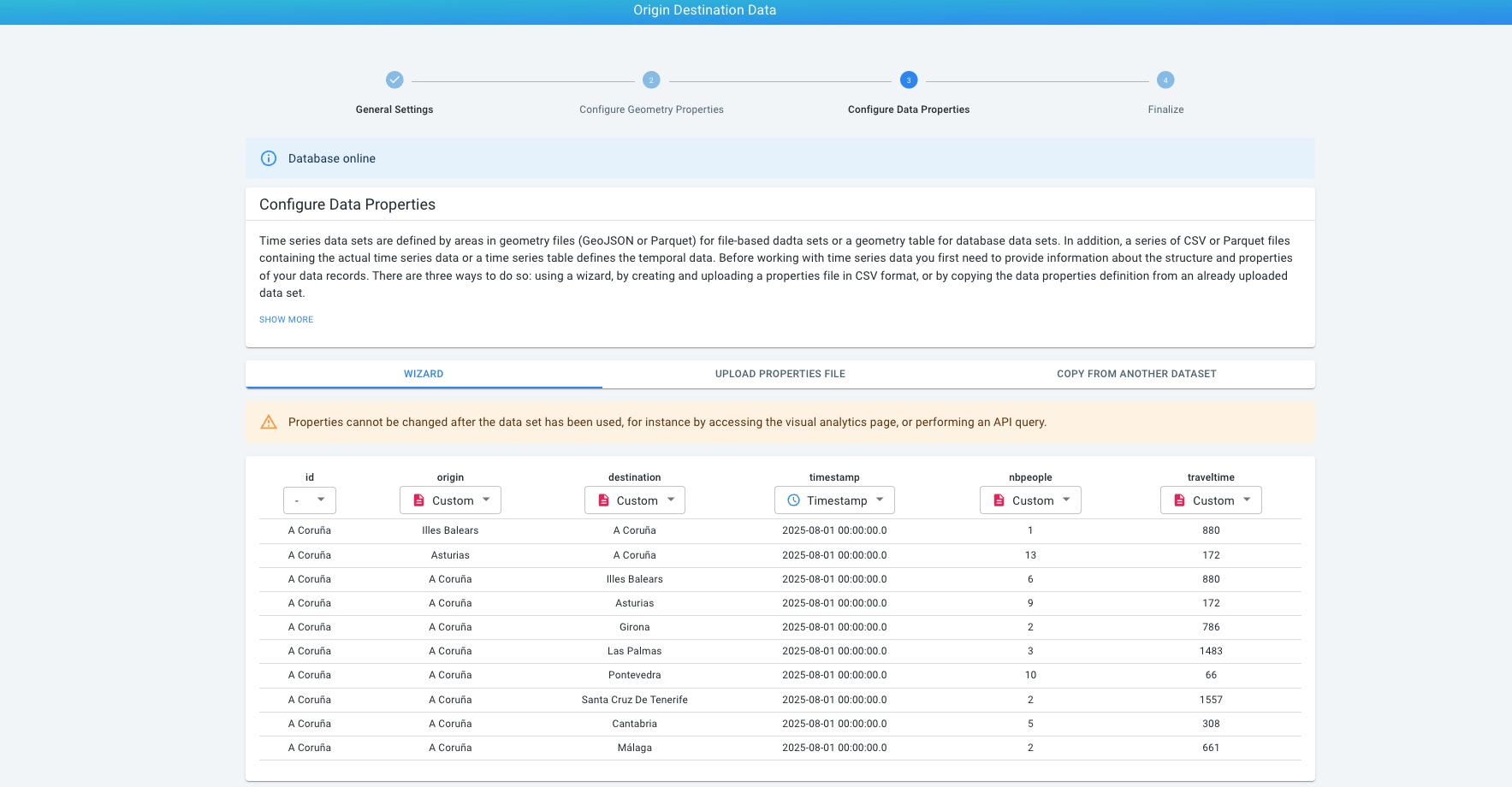
Time series data configuration
The time series table stores the precomputed origin destination values over time.
When configuring the time series data set:
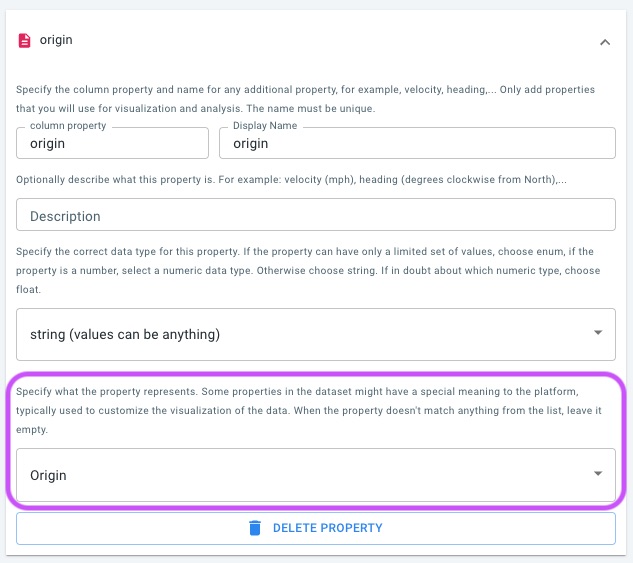
-
Assign the Origin role to the column representing the origin identifier.
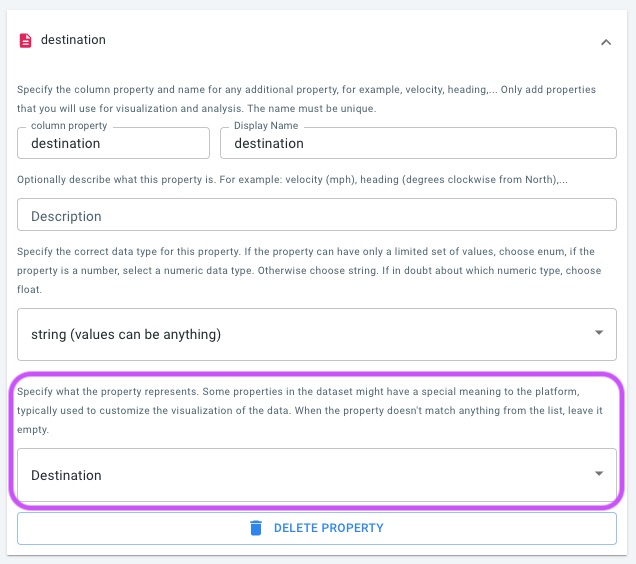
-
Assign the Destination role to the column representing the destination identifier.
-
Configure the timestamp column.
-
Configure one or more numeric or categorical value columns used for styling and aggregation.
Both originId and destinationId properties may be integer or string types.
Their values must correspond to identifiers in the geometry table and effectively behave as foreign keys.
If an additional ID column is present, it must also reference the geometry table.
See the data properties file syntax page for the complete configuration syntax.
How are precomputed origin destination data used?
Once configured, precomputed origin destination time series can be analyzed on the Visual Analytics page.
The origin and destination identifiers are treated as standard data properties, and the exact interpretation of the data depends on whether the data set follows:
-
the origin destination only model, or
-
the origin destination with intermediate geometry model
The details of analysis, filtering, and visualization are covered in the next article.
Got feedback? Additional questions? Just want to have a friendly chat?
Get in touch!